iOS
We've built this for the Ummah so you don't have to. By using our OAuth2, you get:
- Zero user management — No database, no password resets, no account recovery
- Cross-app sync — Users' bookmarks, goals, and streaks sync with Quran.com automatically
- Single Sign-On — One login works across all Quran apps
Please make sure you read our User Related APIs Quickstart Guide or the full integration guide.
Obtaining OAuth 2.0 client credentials
A prerequisite to creating client credentials is for your app to have the value of the redirect URL where the user will land after successfully authenticating/logging out implemented.
Once you have the redirect URL, please submit your OAuth2 Application.
For most clients issued through Request Access, keep the login screen and PKCE flow in your mobile app, but perform the authorization-code exchange and refresh-token exchange on your backend. If Quran Foundation provisioned your client with token_endpoint_auth_method=none, you can also use a fully public in-app token exchange flow.
OAuth2 Clients
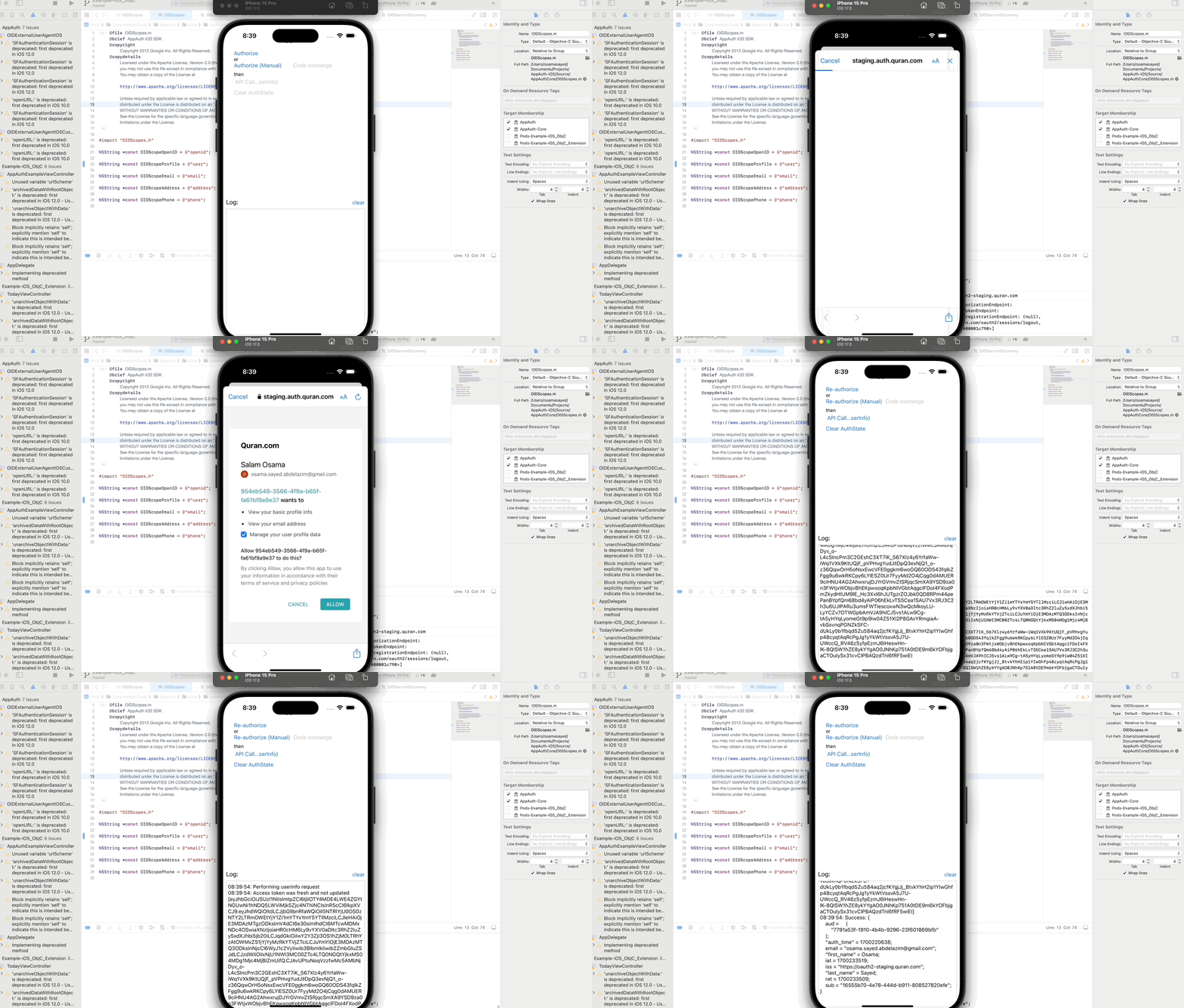
There are a few client SDKs out there for an iOS native app to authenticate and authorize end-users using OAuth 2.0 and OpenID Connect. One of the most recommended ones is AppAuth. Below is a demo of an AppAuth client that was used to connect to Quran.Foundation Authorization server and authenticate a user.