React Native
We've built this for the Ummah so you don't have to. By using our OAuth2, you get:
- Zero user management — No database, no password resets, no account recovery
- Cross-app sync — Users' bookmarks, goals, and streaks sync with Quran.com automatically
- Single Sign-On — One login works across all Quran apps
Please make sure you read our User Related APIs Quickstart Guide or the full integration guide.
Obtaining OAuth 2.0 client credentials
A prerequisite to creating client credentials is for your app to have the value of the redirect URL where the user will land after successfully authenticating/logging out implemented.
Once you have the redirect URL, please submit your OAuth2 Application.
For most clients issued through Request Access, keep the login screen and PKCE flow in your mobile app, but perform the authorization-code exchange and refresh-token exchange on your backend. If Quran Foundation provisioned your client with token_endpoint_auth_method=none, you can also use a fully public in-app token exchange flow.
Let the app open the Quran Foundation login screen and generate PKCE, then send code + code_verifier + redirect_uri to your backend. Your backend performs token exchange and refresh. If Quran Foundation provisioned your client with token_endpoint_auth_method=none, you can also do the token exchange directly in the app.
⚡ Quick Setup
npx expo install expo-auth-session expo-web-browser expo-crypto
npm install jwt-decode
🚀 Complete Working Example
Copy this into your App.js to get OAuth2 working immediately:
import * as React from "react";
import { Button, Text, View, StyleSheet } from "react-native";
import jwtDecode from "jwt-decode";
import { useAuthRequest } from "expo-auth-session";
import * as WebBrowser from "expo-web-browser";

WebBrowser.maybeCompleteAuthSession();

// ⚙️ Configuration - Update these values!
const CLIENT_ID = "YOUR_CLIENT_ID"; // From your OAuth application
const REDIRECT_URI = "exp://192.168.x.x:8081"; // Your Expo dev URL or custom scheme
const BACKEND_BASE_URL = "https://your-backend.example.com";
const USE_PRELIVE = true; // set to false for production
const authBaseUrl = USE_PRELIVE
  ? "https://prelive-oauth2.quran.foundation"
  : "https://oauth2.quran.foundation";

// OAuth2 endpoints
const discovery = {
  authorizationEndpoint: `${authBaseUrl}/oauth2/auth`,
  tokenEndpoint: `${authBaseUrl}/oauth2/token`,
  revocationEndpoint: `${authBaseUrl}/oauth2/revoke`,
};

export default function App() {
  const [authSession, setAuthSession] = React.useState(null);

  const [request, response, promptAsync] = useAuthRequest(
    {
      clientId: CLIENT_ID,
      scopes: ["openid", "offline_access", "bookmark", "collection", "user"],
      redirectUri: REDIRECT_URI,
      usePKCE: true,
    },
    discovery
  );

  React.useEffect(() => {
    const exchangeOnBackend = async () => {
      if (!response) {
        return;
      }

      if (response.error) {
        console.error("Auth error:", response.params.error_description);
        return;
      }

      if (response.type !== "success" || !request?.codeVerifier) {
        return;
      }

      try {
        const backendResponse = await fetch(
          `${BACKEND_BASE_URL}/api/auth/qf/exchange`,
          {
            method: "POST",
            headers: { "Content-Type": "application/json" },
            body: JSON.stringify({
              code: response.params.code,
              codeVerifier: request.codeVerifier,
              redirectUri: REDIRECT_URI,
            }),
          }
        );

        const payload = await backendResponse.json();
        if (!backendResponse.ok) {
          throw new Error(payload.error || "Token exchange failed");
        }

        const userProfile = payload.user || jwtDecode(payload.idToken);
        setAuthSession({ ...payload, userProfile });
      } catch (error) {
        console.error("Token exchange failed:", error);
      }
    };

    exchangeOnBackend();
  }, [request?.codeVerifier, response]);

  const logout = async () => {
    await fetch(`${BACKEND_BASE_URL}/api/auth/qf/logout`, {
      method: "POST",
      headers: { "Content-Type": "application/json" },
      body: JSON.stringify({ refreshToken: authSession?.refreshToken }),
    }).catch(() => {});
    setAuthSession(null);
  };

  // Logged in view
  if (authSession) {
    const { userProfile } = authSession;
    return (
      <View style={styles.container}>
        <Text style={styles.welcome}>
          Welcome, {userProfile.first_name || userProfile.name || "User"}!
        </Text>
        <Text style={styles.email}>{userProfile.email}</Text>
        <View style={styles.buttonContainer}>
          <Button title="Logout" onPress={logout} />
        </View>
      </View>
    );
  }

  // Login view
  return (
    <View style={styles.container}>
      <Text style={styles.title}>Quran App</Text>
      <View style={styles.buttonContainer}>
        <Button
          disabled={!request}
          title="Login with Quran.com"
          onPress={() => promptAsync()}
        />
      </View>
    </View>
  );
}

const styles = StyleSheet.create({
  container: {
    flex: 1,
    justifyContent: "center",
    alignItems: "center",
    padding: 20,
  },
  title: { fontSize: 28, fontWeight: "bold", marginBottom: 40 },
  welcome: { fontSize: 24, fontWeight: "600", marginBottom: 10 },
  email: { fontSize: 16, color: "#666", marginBottom: 30 },
  buttonContainer: { marginTop: 20, width: "80%" },
});
Example Repository
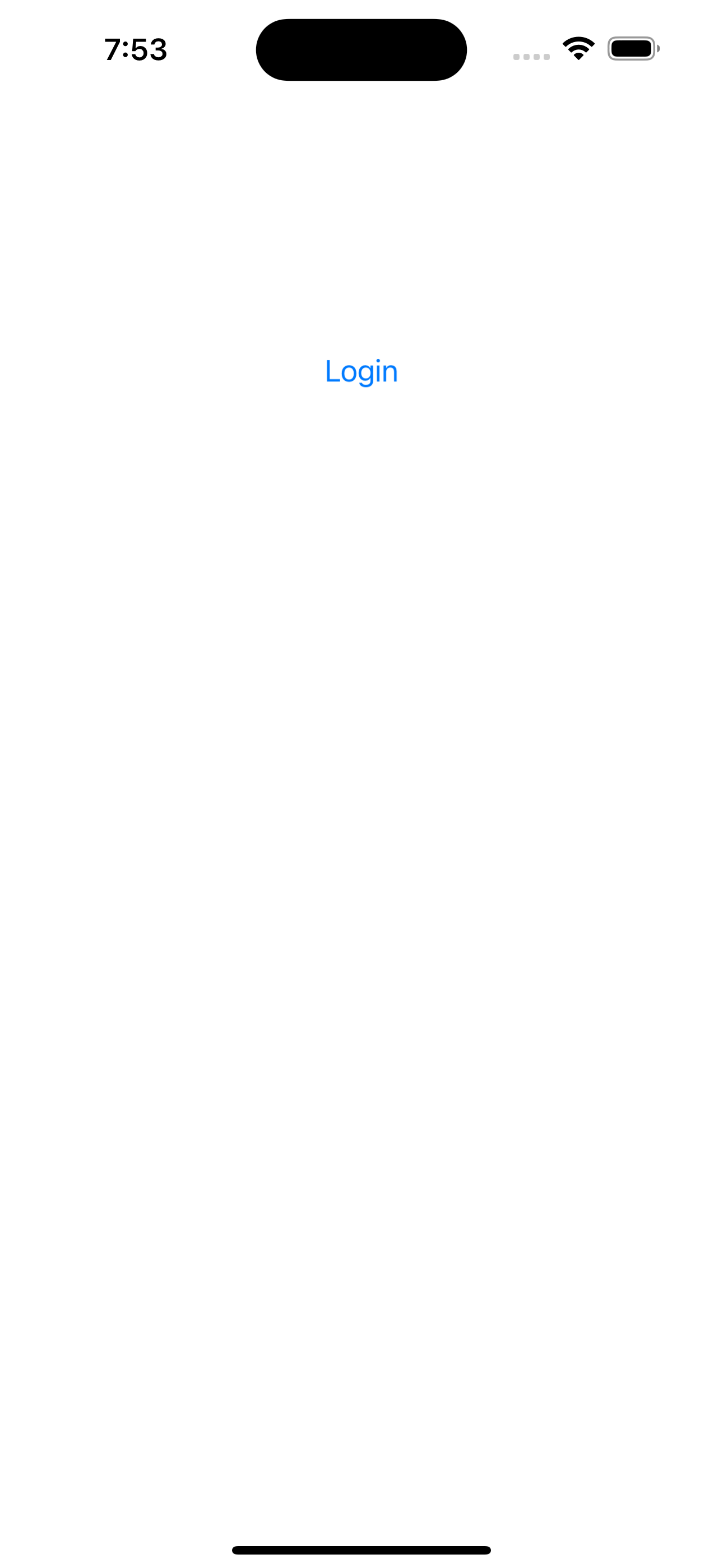
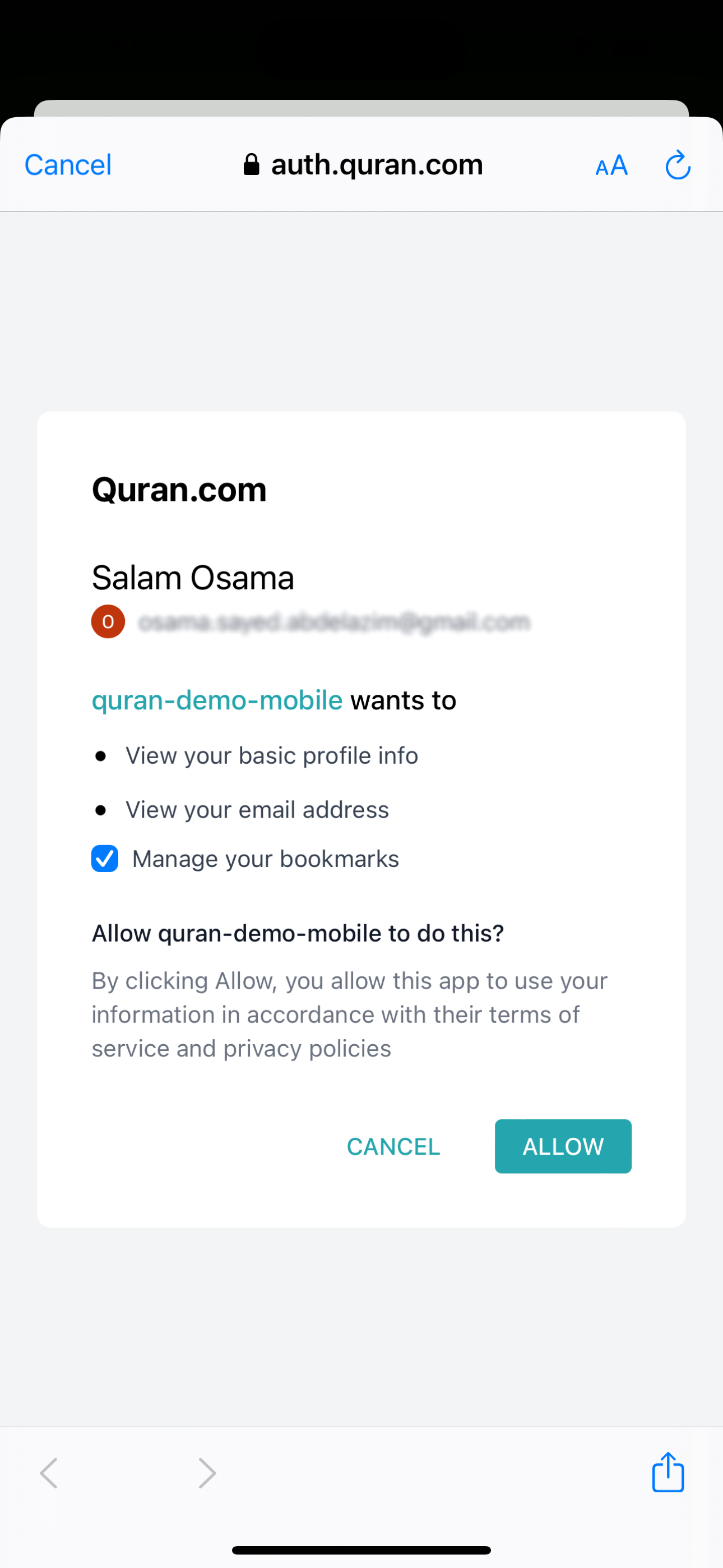
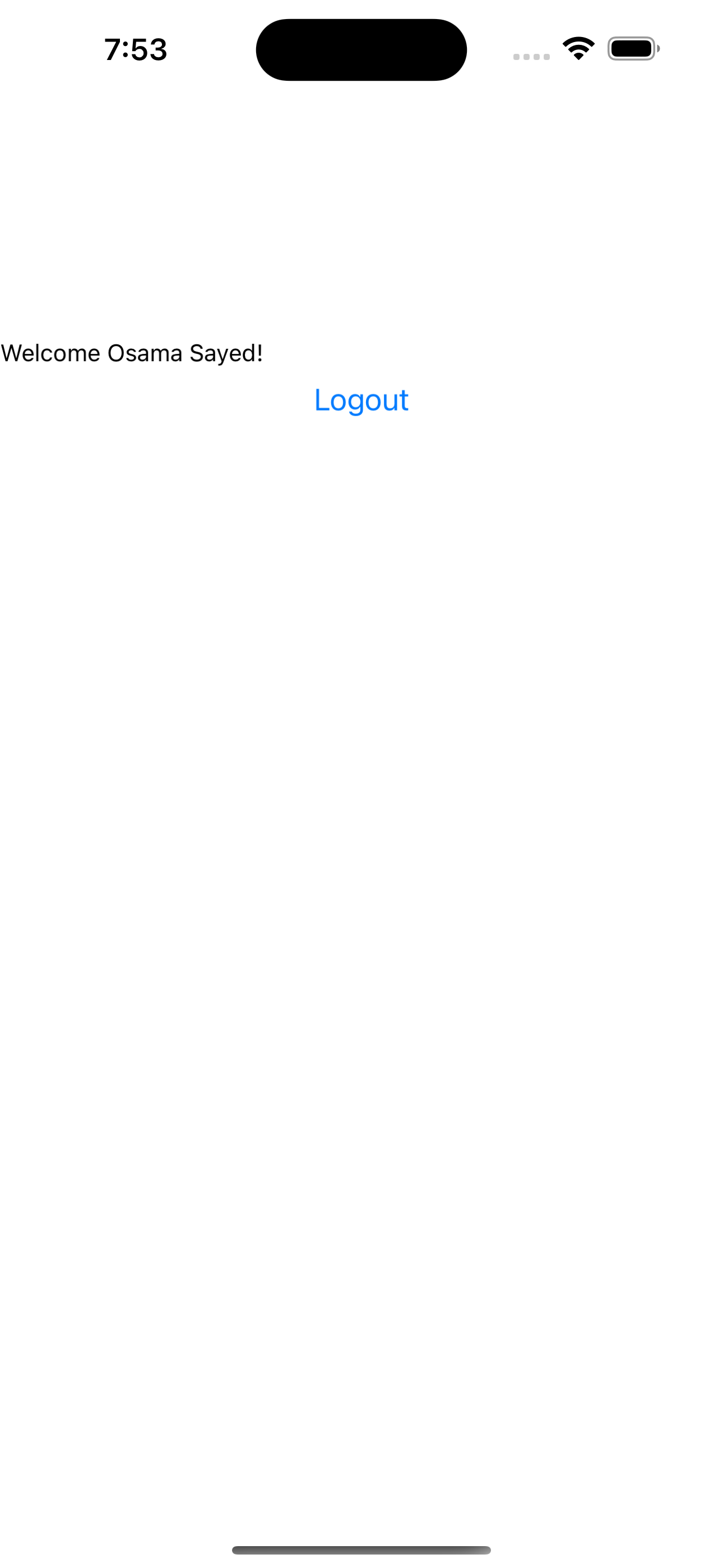
We have created a complete Example OAuth2 React Native client that you can clone and run. That repository shows the direct public-client exchange variant. For current Request Access clients, keep the in-app login pieces and move token exchange to your backend as shown above.
🔑 Making API Calls
Once authenticated, use the accessToken to call User APIs:
// Example: Fetch user's bookmarks
const fetchBookmarks = async () => {
  const response = await fetch(
    "https://apis.quran.foundation/auth/v1/bookmarks",
    {
      headers: {
        "x-auth-token": authSession.accessToken,
        "x-client-id": CLIENT_ID,
      },
    }
  );
  return response.json();
};
🔄 Token Refresh
Access tokens expire after 1 hour. For most Request Access clients, refresh them through your backend:
const refreshTokens = async () => {
  const response = await fetch(
    `${BACKEND_BASE_URL}/api/auth/qf/refresh`,
    {
      method: "POST",
      headers: { "Content-Type": "application/json" },
      body: JSON.stringify({ refreshToken: authSession.refreshToken }),
    }
  );

  const payload = await response.json();
  setAuthSession((current) => ({ ...current, ...payload }));
};
If your app keeps refresh tokens locally, use expo-secure-store to persist them between app sessions. If you already have backend sessions, keep the refresh token on the server instead:
import * as SecureStore from "expo-secure-store";
await SecureStore.setItemAsync("refreshToken", authSession.refreshToken);